

A PCO licence address change update is the formal process by which Transport for London (TfL) records your new home address against your private hire vehicle (PHV) driver licence. Drivers must notify TfL of any change in personal circumstances, including home address, to remain compliant. Failing to do so puts your licence at risk of suspension, which means losing your right to work legally as a private hire driver in London. Your PCO licence is valid for 3 years, and keeping your address current throughout that period is a legal obligation, not an optional administrative task.
What do you need before starting your PCO licence address change update?
Preparation is the single biggest factor in how quickly TfL processes your request. Submitting incomplete documents is the most common reason for delays, so gather everything before you make contact.
Documents and information to prepare:
- Proof of new address. A recent utility bill, bank statement, or official government letter dated within the last three months works well. TfL expects the document to show your full name and new address clearly.
- Your current PCO licence details. Have your licence number and the name registered on the licence ready. TfL uses these to locate your record immediately.
- National Insurance number. TfL may request this to verify your identity during the update process.
- DBS certificate reference. PCO licence holders must maintain up-to-date DBS and medical information linked to their registered address. Your enhanced DBS check is tied to your licence record, so confirming its status before you submit saves time later.
- Medical certificate details. If your medical certificate is approaching renewal, sort that out at the same time. TfL links medical records to your registered address, and an outdated medical can complicate the update.
Monitor your communication channels closely. TfL may send queries by email or post to your old address during the transition period. Check both addresses and your spam folder daily until you receive confirmation.
Pro Tip: Set up a mail redirect with Royal Mail from your old address to your new one before you contact TfL. This catches any TfL correspondence that goes to your previous address during the changeover.

How do you submit your address change to Transport for London?
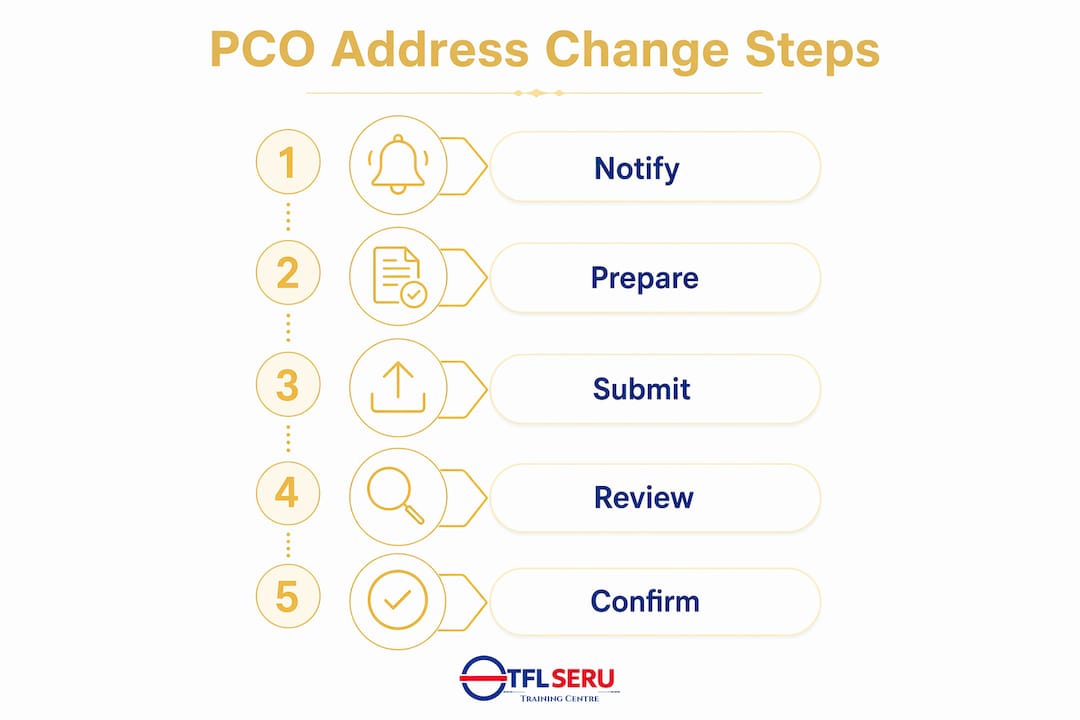
The submission process follows a clear sequence. Work through each step in order and keep records of every interaction.
- Log in to your TfL online account. Go to the TfL Taxi and Private Hire portal and sign in with your registered credentials. Your account dashboard shows your current licence details and any outstanding actions.
- Locate the personal details section. Within your account, find the option to update personal information. Select the address change function and enter your new address exactly as it appears on your proof of address document.
- Upload your proof of address. Attach a clear scan or photograph of your supporting document. Blurry or cropped images are rejected, so check the file quality before uploading.
- Submit and note your reference number. After submission, TfL generates a reference number. Write this down. You will need it for any follow-up calls or emails.
- Send a confirmation email if required. Some updates require you to email TPH.Licensing@tfl.gov.uk with your reference number and scanned documents attached. Check the portal instructions carefully, as requirements can vary.
- Contact TfL directly if the portal does not support your change. Call TfL Taxi and Private Hire on 0343 222 4444 during business hours. Explain that you need to change your registered address and have your licence number ready.
You must notify TfL within 21 days of your home address change. Missing this window puts you in breach of your licence conditions.
A critical point that catches many drivers out: updating your DVLA address does not update your TfL records automatically. TfL runs an independent database. You must notify both organisations separately.
| Submission method | Best used when | Key requirement |
|---|---|---|
| TfL online portal | Standard address updates | Active TfL account login |
| Email to TPH.Licensing | Portal unavailable or additional docs needed | Reference number and scanned proof |
| Phone 0343 222 4444 | Urgent updates or portal errors | Licence number and ID ready |
Pro Tip: After submitting, send yourself an email summarising what you submitted, when, and your reference number. This creates a personal audit trail that is invaluable if TfL queries your update weeks later.
Common delays and mistakes to avoid when changing your PCO address
Most delays in the PCO licence update process are avoidable. Understanding where things go wrong gives you a clear advantage.
- Submitting incomplete documentation. Missing a proof of address or providing a document older than three months causes TfL to pause your request and send a query. Every day you take to respond adds to your waiting time.
- Assuming DVLA and TfL are linked. Many drivers update their driving licence address with the DVLA and believe the job is done. TfL operates a separate system. Not notifying TfL directly is a compliance failure, regardless of what the DVLA holds.
- Ignoring TfL correspondence. Failure to respond to TfL’s requests promptly is a main cause behind licence application delays. TfL will not chase you indefinitely. If you miss their query, your update stalls until you respond.
- Relying on a third party. Asking a friend, family member, or agency to manage your update introduces risk. Personal management of address updates through official TfL channels reduces the risk of compliance suspension. Only you can verify your identity and respond accurately to TfL queries.
- Using an unofficial email address. Always use the official TfL contact address for correspondence. Emails sent to incorrect addresses are not forwarded and your update will not progress.
“Treat your licence record as a living document. Keeping contact details updated helps avoid losing renewal notifications that can lead to lengthy reapplication delays.” — TfL SERU guidance
Licence holders who respond promptly to TfL queries generally get updates processed faster. Speed of response on your end directly determines speed of processing on TfL’s end.
What happens after you submit your PCO licence address change update?
Once TfL receives your complete submission, the clock starts on their processing target. Knowing what to expect prevents unnecessary anxiety and helps you plan your follow-up.
TfL aims to process licensing updates within 10 working days if information is complete and accurate. That is two calendar weeks under normal conditions. If your submission has any gaps, that clock resets each time TfL sends a query and waits for your reply.
| Stage | Expected timeframe | What you should do |
|---|---|---|
| Submission received | Same day | Note reference number and save confirmation |
| TfL review begins | 1–3 working days | Monitor email and post for queries |
| Query raised (if applicable) | Within first week | Respond within 24 hours |
| Update confirmed | Up to 10 working days | Check online account for updated record |
| New licence document issued | Varies | Contact TfL if not received after 15 working days |
TfL notifies you by email once the update is confirmed. Log in to your TfL online account and verify that the new address appears correctly on your licence record. Do not assume the update is complete until you see it reflected in your account.
Failure to update your address carries real consequences. TfL can suspend your licence if your registered details are inaccurate, which means you cannot legally work as a private hire driver until the issue is resolved. A suspension also triggers a formal review process that takes considerably longer than a standard update.
If your update has not been confirmed after 10 working days, contact TfL directly. Persistent daily phone follow-ups with TfL can accelerate stalled licence updates. Call, note the name of the agent you spoke with, and repeat the following day if needed.
Key takeaways
Completing a PCO licence address change update correctly requires notifying TfL directly within 21 days, submitting complete proof of address, and following up proactively until your online account confirms the change.
| Point | Details |
|---|---|
| 21-day notification rule | Notify TfL within 21 days of moving or risk breaching your licence conditions. |
| TfL and DVLA are separate | Updating your DVLA address does not update TfL records; notify both independently. |
| Complete documents speed processing | TfL targets 10 working days when submissions are accurate and complete. |
| Prompt replies prevent delays | Responding to TfL queries within 24 hours keeps your update moving forward. |
| Personal submission protects compliance | Always submit through official TfL channels yourself, not through a third party. |
Why I think most drivers make this harder than it needs to be
Most of the stress I see around PCO address changes comes from one source: drivers treating the process as something that can wait. Moving house is hectic, and updating a licence feels like a minor administrative task compared to everything else on your plate. The 21-day window closes faster than you expect.
The other pattern I notice is over-reliance on the DVLA update. Drivers update their driving licence address, feel a sense of completion, and move on. TfL’s independent database means that assumption is a compliance trap. The two organisations do not share records, and TfL will not know you have moved unless you tell them directly.
My strongest advice is to treat your TfL licence record the way you treat your insurance. You would not let your insurance lapse because you forgot to update your address. Your PCO licence deserves the same discipline. The moment you have your proof of address document from your new property, contact TfL. Do not wait until you are settled.
One more thing: the link between your address and your DBS clearance matters more than most drivers realise. Your enhanced DBS check is tied to your registered address on the TfL system. An address mismatch can create complications when your DBS comes up for renewal, and that can delay your ability to work. Address updates and DBS management are not separate tasks. They are part of the same compliance picture.
— East
Eltconline: supporting your PCO licence compliance
Keeping your licence details current is one part of staying compliant as a private hire driver in London. The other part is making sure your skills and qualifications meet TfL’s standards throughout your career.

Eltconline is a TfL-approved training centre based in East London, E7, specialising in topographical assessment preparation and SERU training for private hire drivers. Thousands of drivers have passed their TfL topographical test with Eltconline’s structured courses. Whether you are applying for your first PCO licence or renewing your existing one, the PCO training in London at Eltconline gives you the preparation you need to meet TfL’s requirements with confidence.
FAQ
How long does a PCO address change take to process?
TfL targets 10 working days to process a licence address update when all submitted documents are complete and accurate. Incomplete submissions or slow responses to TfL queries extend this timeline.
Do I need to update both DVLA and TfL when I move?
Yes. Updating your DVLA address does not update your TfL records. TfL operates an independent database and must be notified separately within 21 days of your move.
What documents do I need for a PCO address change application?
You need proof of your new address dated within the last three months, your current PCO licence number, and your National Insurance number. A utility bill, bank statement, or official government letter all qualify as proof of address.
What happens if I miss the 21-day notification deadline?
Missing the 21-day window puts you in breach of your licence conditions. TfL can suspend your licence if your registered address is inaccurate, preventing you from working legally as a private hire driver.
Can someone else submit my PCO address change on my behalf?
Submitting through official TfL channels yourself is the safest approach. Relying on a third party introduces risk of errors and removes your ability to respond directly to TfL queries, which can delay or jeopardise your update.
Recommended
- Applying for a PCO Licence
- Apply for PCO Licence
- PCO application timeline explained: 2026 guide
- London PCO Licence Application
